opto:farm / 26 July 2022
How do we provide environmental diagnostics to each opto:pod?
One of the most important parameters to monitor during an optogenetic experiment is temperature. One of the dirty secrets in the field is that light sources, electronics, light shielding can create thermal instabilities that might affect your experiment. I am ‘sure’ it did not happen to you but our first experiment in optogenetics resulted in [...]
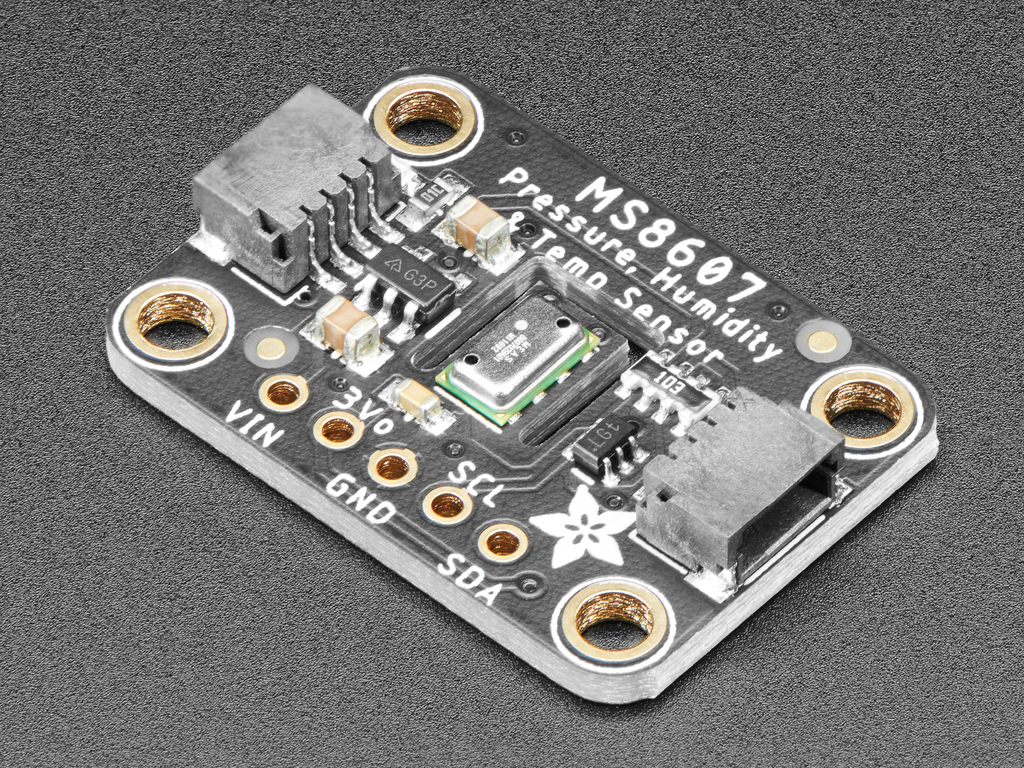
One of the most important parameters to monitor during an optogenetic experiment is temperature. One of the dirty secrets in the field is that light sources, electronics, light shielding can create thermal instabilities that might affect your experiment. I am ‘sure’ it did not happen to you but our first experiment in optogenetics resulted in a lot of degradation products when monitored by western blotting! Since then, we have used sensors in our opto:pods.
For the opto:farm we switched to I2C sensors because we can add how many we want (well… kind of…) using a single cable. The first sensor we showcase here is a temperature, pressure and relative humidity combined sensor, the Adafruit TE MS8607 PHT Sensor. We did struggle a bit with data conversion in the opto:farm code but hey… we did decide do to the tough work for you!
Sensing pressure might not be really needed and relative humidity might also be unnecessary in most projects, hence we will soon integrate a simpler temperature sensor. For now, you can make good use of this PHT sensor. Like for all sensors integrated into the first generation of the opto:farm, we selected the Adafruit breakout because it sports the easy to use solder-free Qwiic connectors.
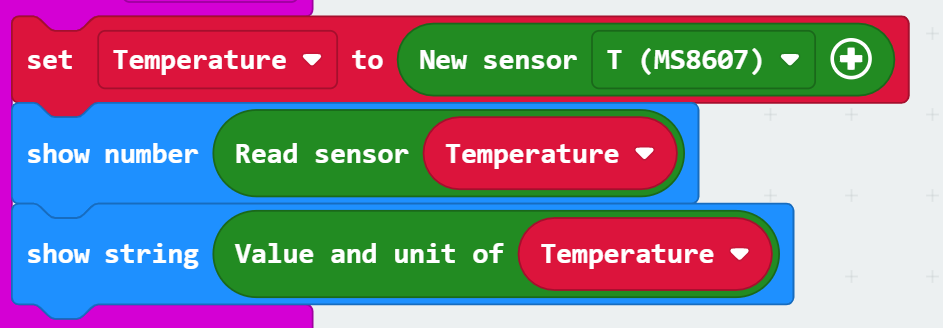
We have a block to setup standard sensors, and the temperature sensor of the MS8607 is one of them. If used with a I2C multiplexer or address shifter, an optional input parameter permits to change the address. To read the sensor we implemented two options. You can read the temperature as a number, or as a string with the unit (degrees Celsius).
Then it is up to you… have fun with these simple MakeCode blocks or read the spec sheet (2022) we used to code the software to make your own…
Original source: optofarm.wordpress.com